
Common Email Issues
Client calls in and states the following:
“Everytime I try to access my email, it tells me my password is incorrect”
The first thing I would ask would be if they are using a mail client (such as Outlook, Thunderbird, Mac Mail) or if they are using Webmail.
The first thing I would check for would be a Firewall block. If there is a block, this would stop them from accessing their email (webmail or mail client), their website, as well as cPanel. If you click on the firewall link above, you will see instructions as well on how to check which email address caused the block.
There is a good chance they are using the incorrect password. In this case, direct them first in to cPanel (remove IP block first if there is one) and then have them go into email accounts. From here, there is an option to change password. They will need to set the password here, then if they are using a mail client, they will need to update in the mail settings. http://chasms.com/ has great resources for walkthroughs to set up mail clients, and/or edit mail settings.
“When I send out emails, I am receiving a bounceback message”
Have them open a support ticket and copy and paste the full bounceback message. You can create the ticket for them, and have them reply with the information. From there, you will need to look at the bounceback and see what the cause is stated as.
The most common bouncebacks are:
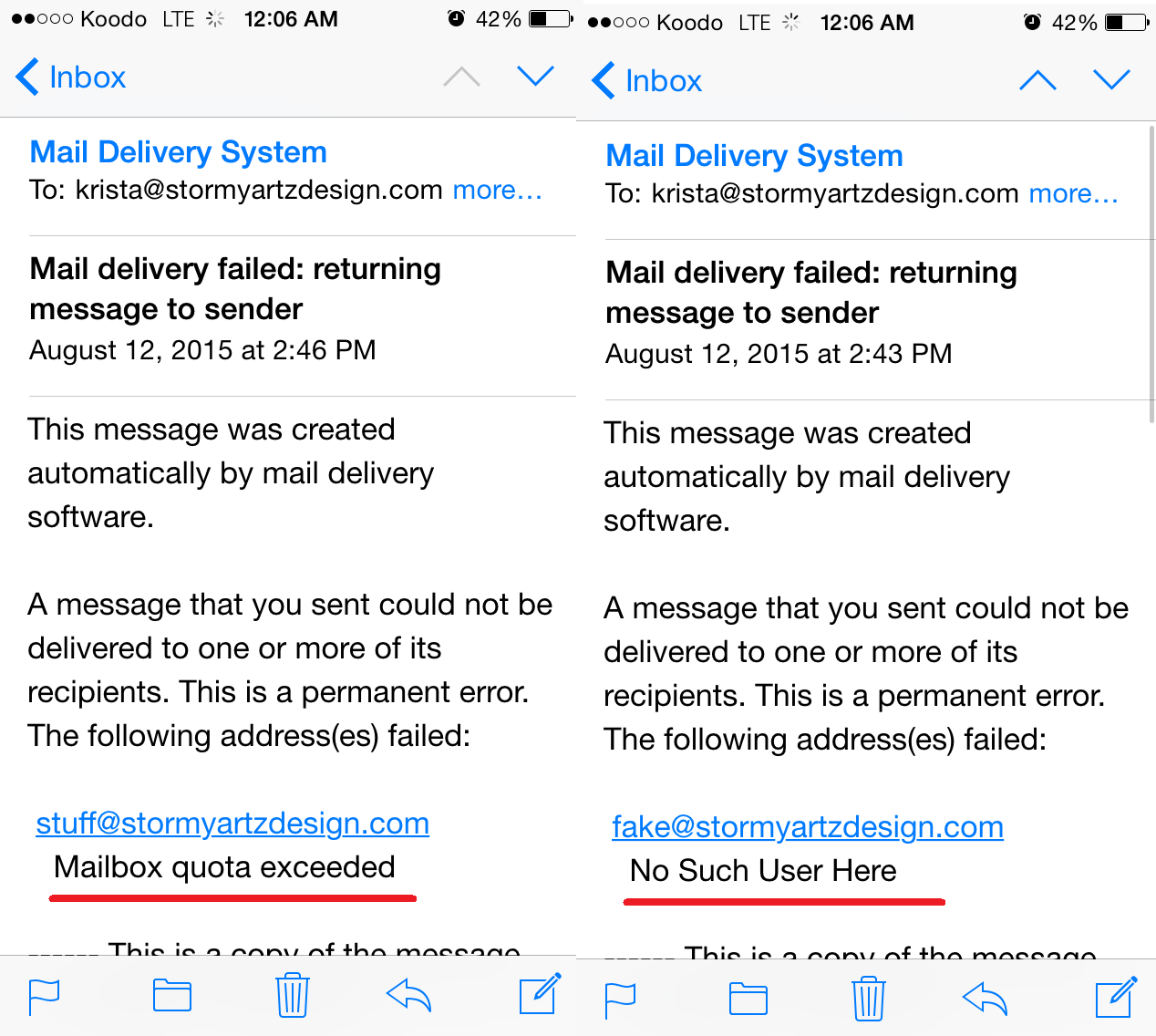
- Mailbox over quota – increasing the quota of the mailbox will fix this, unless it is disk space on the hosting account itself. If t he hosting account over quota, you may need to add some space. View Diskspace Usage will allow you to see where the disk space is being used. They will need to either clear out some space, or upgrade their hosting package
- User doesn’t exist – this means that the mailbox is not created on the server
- The server may be blacklisted -the blacklist lookup tool on mxtoolbox.com will tell you if the server’s IP is blacklisted.
Here are examples of bounce back messages
Example of a blacklist bounceback
A message that you sent could not be delivered to one or more of its
recipients. This is a permanent error. The following address(es) failed:
XXXXXX@aol.com
host mailin-03.mx.aol.com [64.12.88.163]
SMTP error from remote mail server after initial connection:
421 4.7.1 : (DYN:T1) http://postmaster.info.aol.com/errors/421dynt1.html:
retry timeout exceeded
“I am receiving a message that my mail client is unable to connect to the server”
This will either be misconfiguration in their mail settings, or a firewall block.
Go through the settings with the client and make sure that everything is entered properly. Once all settings are correct, if mail still does not work then it is most likely an issue with the mail client.
If their mail client gives a specific error, such as a 0x800***** like Outlook provides, Google it and see what the usual cause is.