
WordPress Issues: Database Errors
Database Errors
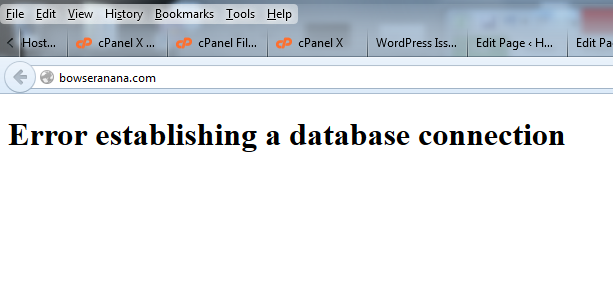 If a WordPress site is giving off a database connection error, there a few things that could cause this.
The most common causes are:
- The wp-config.php pile has errors in the database connection settings (most commonly the password)
- The database user does not have the correct priveledges
The database settings in the wp-config.php file will look similar to this
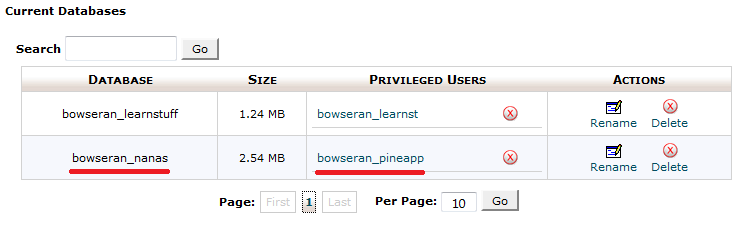
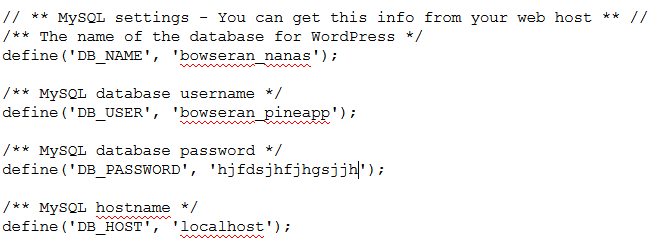 If the DB_NAME and DB_USER match up with the details listed in the MySQL Databases section in cPanel (example below), and the DB_HOST should be localhost, then you will want to reset the password.
 To reset the database password, navigate to the MySQL Databases section in cPanel, and at the bottom of the page you will see the users that are created. Look for the correct one, and click the Set Password button to the right of the user.
 Once the password is set, you will then go back to the wp-config.php file, and update the password in the config file.
Try refreshing the site, if the site loads, you are good to go, if not, go back to the MySQL Databases section in cPanel and under the Current Databases heading, remove the user from the database. This can be done by clicking the red X to the right of the privileged user as seen below.
 Once permissions have been revoked, you will want to add the user again:
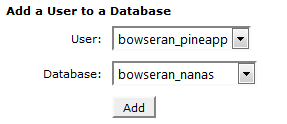 Once you click the Add button, you will see the following screen:
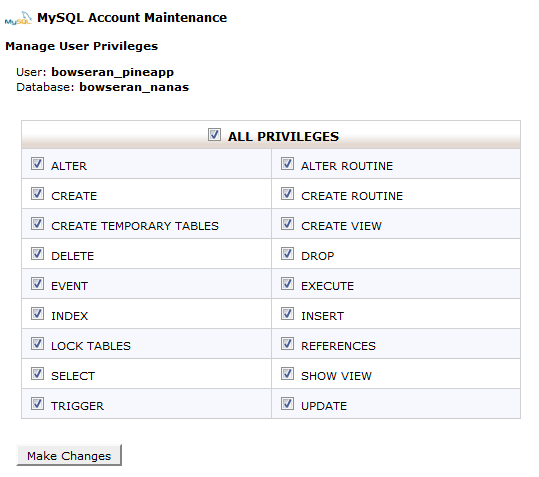 You will need to select All Privileges and then Make Changes..
As long as there are no issues with the MySQL service on the server, then these steps should fix the issue.